
Transcribe audio
Transcribe audio files on your Mac, without uploading them
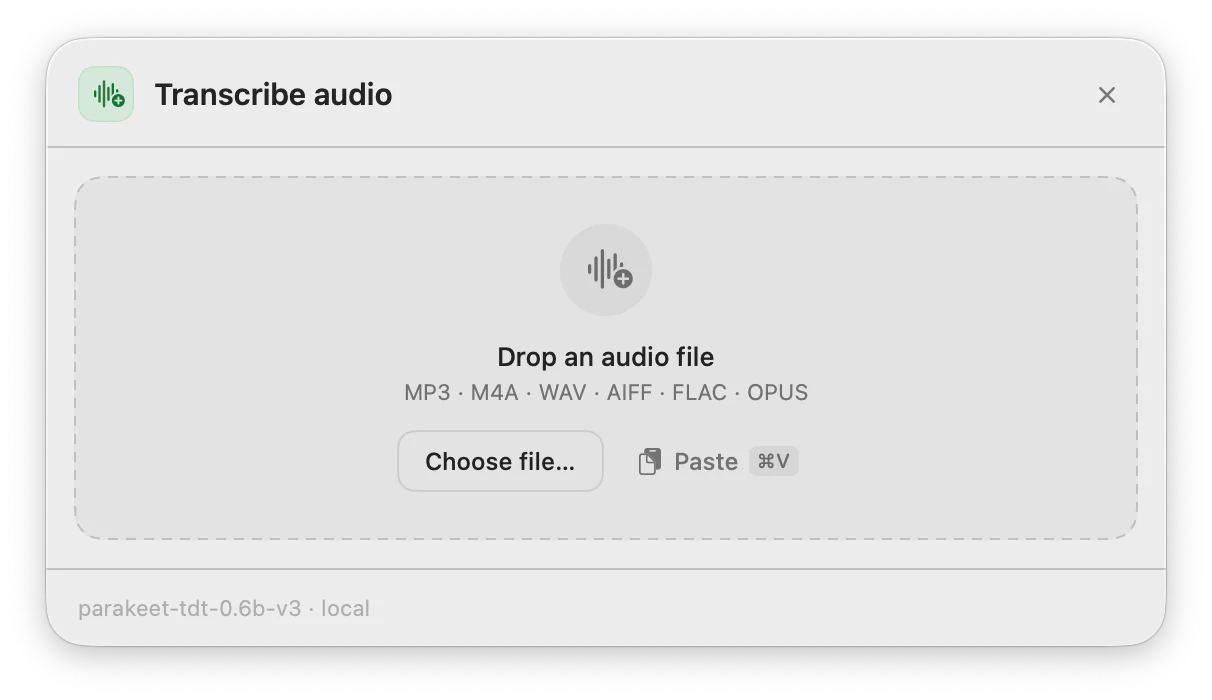
Drag in a recording, choose a file or paste one from the clipboard. ToneMate transcribes it on your Mac and gives you the text.
macOS 14 or later · Free while in beta · No subscription
In short
Transcribe audio is the ToneMate action that turns an audio file into text on your Mac. You drag a file in, pick one from disk or paste it, and a local Whisper or Parakeet model transcribes it. There is no cloud transcription in ToneMate, so the audio does not leave your Mac in this flow. You can then send the text through other actions, such as Summarize or Translate.
Quick facts
- Drag and drop, choose a file or paste audio from the clipboard.
- Common formats such as MP3, M4A, WAV, AIFF and FLAC.
- Transcribed locally with Whisper or Parakeet, once you have downloaded the model.
- Can be chained with Summarize, Translate, Rewrite or Proofread in a pipeline.
How it works
- 1
Open Transcribe audio
Use the shortcut you assigned, or open it from the menu bar or the main window.
- 2
Add the file
Drop an audio file on the panel, choose one with the file picker, or paste it from the clipboard.
- 3
Wait for the transcript
A local speech model transcribes it. A long recording takes longer; time depends on your Mac and the model.
- 4
Use the text
Copy it, or chain it with another action to summarize, translate or tidy it.
From audio to a finished text
A pipeline runs a fixed sequence of steps on one input: an audio file can go through transcription and then Summarize, or Translate, or Proofread. Each step feeds the next, the pipeline stops at the first failure, and the result and every step are saved in your history.
Your audio stays on your Mac
The transcription runs with a speech model on your computer. ToneMate has no path that sends audio to a cloud transcription service. If you then run a text action with a cloud model, that text, not the audio, goes to the provider whose key you added.
Good to know
What it does not do, and what you need first.
- You download a speech model once before the first transcription.
- We have verified the common formats (MP3, M4A, WAV, AIFF, FLAC). The picker also accepts others, such as OGG and OPUS, that we have not fully verified, so do not rely on them for something important yet.
- There is no language selector: Whisper detects the language and Parakeet covers 25 European languages.
- Long recordings take a while and ToneMate has no speaker labels or timestamps.
Where it helps
A recorded interview or lecture
Get a text you can search, quote and summarize.
A voice memo
Turn a memo you recorded on the go into a first draft.
A recording in another language
Transcribe it, then translate the transcript with the same app.
Your own recordings
Keep sensitive audio on your Mac while you work with the text.
Frequently asked questions
Is my audio uploaded anywhere?
No. The transcription runs on your Mac with a Whisper or Parakeet model, and ToneMate has no cloud transcription option. After that, the text only leaves your Mac if you run an action with a cloud model.
Which audio formats can I use?
MP3, M4A, WAV, AIFF and FLAC are the ones we have verified. The picker also accepts a few more, including OGG and OPUS, which we have not fully checked yet.
Does it add timestamps or speaker names?
No. ToneMate returns the transcribed text. It does not label speakers or add timestamps.
What do I need to set up?
A Mac with macOS 14 or later, the Accessibility permission, and a model: either a local one (Ollama or MLX running on your Mac, which ToneMate can install and test) or your own API key from a cloud provider. Dictation also needs a speech model, which you download once. The first setup takes a few minutes.
Can I buy or download ToneMate today?
You can download it, but not buy it yet. ToneMate is in free beta: download the app and request a free license key, which has no fixed end date. The plan for the full version is a one-time purchase that includes 2 licenses; when the first stable version comes out, a 30-day free trial starts.
Keep exploring
- DictationHold the shortcut, speak and let go: speech is transcribed on your Mac and typed where your cursor is.Learn more
- SummarizeSummarize selected text, a spoken note or a document into a short version, with the model you choose.Learn more
- TranslateTranslate selected text into one of 10 languages from a shortcut, with the model you choose.Learn more
- Local AI writing assistantRun ToneMate's writing actions with a model on your Mac, what to expect, and what we measured.Learn more
Transcribe with ToneMate in the free beta
ToneMate is in free beta. Download it and request a free license key: we email it to you.
Last updated: