
Guide · Writing by voice
A speech-to-text writing app for Mac: dictate, clean up, insert
Dictation only helps if the text that comes out is usable. This is a workflow for getting a clean first draft out of your voice, with the transcription kept on your Mac.
macOS 14 or later · Free while in beta · No subscription
In short
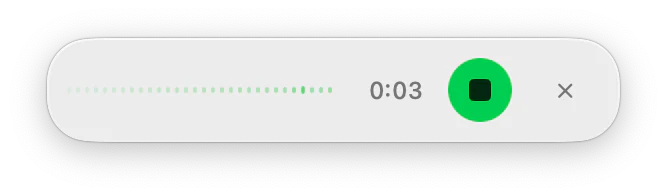
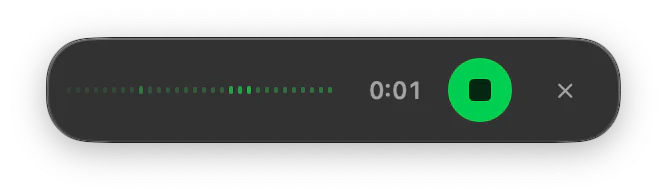
ToneMate is a speech-to-text writing app for macOS. You hold a shortcut, talk, and the transcription, done locally with a Whisper or Parakeet model, is inserted where your cursor is. An optional AI cleanup fixes punctuation and filler words, and the other ToneMate actions let you rewrite, translate or summarize what you dictated.
Quick facts
- Transcription is always local: Whisper (4 sizes) or Parakeet TDT 0.6B v3, downloaded once.
- Push-to-talk by holding the shortcut, or tap to start and stop.
- An optional cleanup, local by default, that fixes punctuation and filler words.
- Voice commands in 6 languages and a personal dictionary of up to 100 entries.
How it works
- 1
Say it in full sentences
Short, complete sentences transcribe better than a stream of fragments, and give the cleanup less to guess.
- 2
Use voice commands for structure
Say “new line” or “new paragraph” where you want a break.
- 3
Let the cleanup tidy it
Punctuation, capitals and filler words are fixed, in a style that fits where the text is going.
- 4
Shape the draft
Rewrite the tone, shorten it, translate it or proofread it with the same panel.
Why the cleanup matters
Raw transcripts are full of “um”, missing commas and run-on sentences. The cleanup fixes that with the text model you chose and falls back to what it heard if the model is slow or misbehaves, so a bad run never makes your text worse. By default it only runs with local models, so your transcript is not sent to a cloud provider unless you decide it should be.
Tips for dictating well
- Speak in complete sentences and pause at the end of each one.
- Say proper names and product names clearly, then add the ones that get misheard to the personal dictionary.
- Say “new paragraph” on its own, as a separate phrase, so it is read as a command.
- Read the result once before you send; a transcript can still contain a wrong word.
The two speech models
| Whisper (WhisperKit) | Parakeet (FluidAudio) | |
|---|---|---|
| Sizes in ToneMate | Small, Base, Medium, Large-v3-Turbo | Parakeet TDT 0.6B v3 |
| Language | Detects the language on its own | 25 European languages |
| Runs | On your Mac, after a one-time download | On your Mac, after a one-time download |
| How to choose | Try them with your own voice and language | Try it with your own voice and language |
Good to know
What it does not do, and what you need first.
- You download a speech model once before you can dictate.
- There is no transcription-language selector yet, and no long continuous dictation.
- The personal dictionary improves the cleanup but does not yet feed the recognizer.
- Only the transcription is always local; the cleanup uses your text model, local by default.
Where it helps
First drafts
Talk through an email or a post, then edit.
Chat replies
Dictate where you are, in the style of the app.
Notes
Get your thoughts down with punctuation.
A draft in another language
Dictate, then translate with the same shortcut family.
Frequently asked questions
Is the transcription done on my Mac?
Yes, always. ToneMate has no cloud transcription path: a Whisper or Parakeet model runs on your Mac after you download it once.
Which is better, Whisper or Parakeet?
We do not claim one is better. They differ in sizes and languages, so try them with your own voice and language.
Which apps can it insert text into?
It inserts where your cursor is by pasting, in apps that let you paste text. We have verified it in a text editor and are checking more apps one by one.
What do I need to set up?
A Mac with macOS 14 or later, the Accessibility permission, and a model: either a local one (Ollama or MLX running on your Mac, which ToneMate can install and test) or your own API key from a cloud provider. Dictation also needs a speech model, which you download once. The first setup takes a few minutes.
Can I buy or download ToneMate today?
You can download it, but not buy it yet. ToneMate is in free beta: download the app and request a free license key, which has no fixed end date. The plan for the full version is a one-time purchase that includes 2 licenses; when the first stable version comes out, a 30-day free trial starts.
Keep exploring
- DictationHold the shortcut, speak and let go: speech is transcribed on your Mac and typed where your cursor is.Learn more
- Transcribe audioDrop an audio file and get the text, transcribed on your Mac.Learn more
- RewriteChange the tone and wording of selected text, and compare it with the original before you insert it.Learn more
- Local AI writing assistantRun ToneMate's writing actions with a model on your Mac, what to expect, and what we measured.Learn more
Write by voice with ToneMate in the free beta
ToneMate is in free beta. Download it and request a free license key: we email it to you.
Last updated: